By David Thompson · Published January 5, 2026 · Updated September 18, 2026 · 12 min read
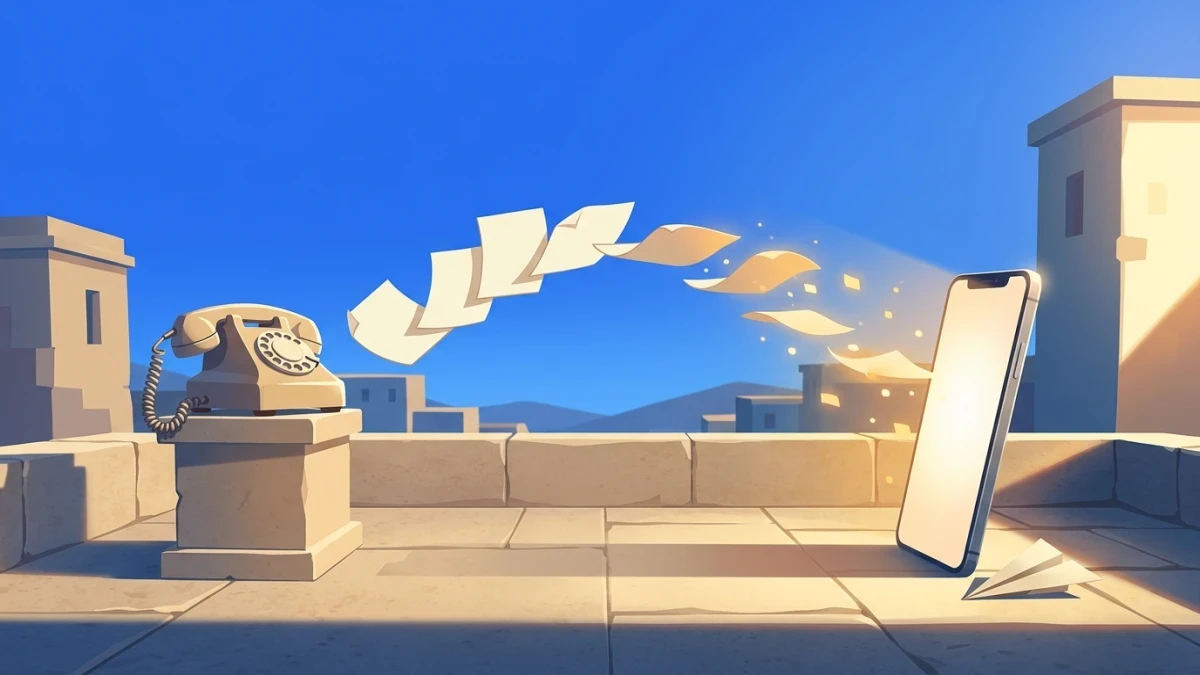
A phone with fax capability sounds like a relic from 1998. But in 2026, faxing is still required by hospitals, law firms, government agencies, and insurance companies — and the options for getting fax capability into your hands have never been better or more varied.
The phrase "phone with fax" covers two very different product categories:
- Hardware all-in-one devices — printers that combine a fax modem and a phone line port in a single unit
- Smartphone fax apps — software that turns any iPhone or Android into a fully capable fax machine over the internet
This guide covers both. Whether you need a physical device for an office or a fast way to fax from your phone, you'll find the right option below.
Quick Answer
For most people, mFax is the fastest path to fax capability on your phone — 4.8-star rating, 5 million+ users, and you can send your first fax in under 2 minutes. No hardware, no phone line required.
Two Paths to Phone Fax Capability
Before diving into specific options, it helps to understand how each approach works — they're fundamentally different technologies.
Hardware: All-in-One Printers (Traditional Phone + Fax)
Traditional "phone with fax" hardware connects to a standard copper phone line via an RJ-11 jack. When you send a fax, the machine scans your document, converts it to a bitmap image, and transmits it as audio-frequency tones (300–3,400 Hz) over the phone line. The receiving machine decodes those tones and prints the result.
Modern hardware fax comes in two forms:
- Multifunction printers (MFPs) — print, copy, scan, and fax in one device; the current mainstream standard (Brother MFC, HP OfficeJet)
- Standalone phone/fax combos — dedicated fax machines with a handset; mostly discontinued by major manufacturers
The key limitation of hardware fax: faxing ties up the phone line. You cannot make a voice call while a fax is transmitting.
Software: Smartphone Fax Apps (Internet-Based)
Smartphone fax apps skip the phone line entirely. When you tap "send," the app converts your document to TIFF format and routes it through the service's cloud servers, which deliver it to the recipient's fax machine via the telephone network or T.38 fax-over-IP protocol. The sender gets a digital delivery confirmation receipt.
What you need: A Wi-Fi or cellular connection. That's it. No phone line, no hardware purchase.
The entire smartphone on your desk can send and receive faxes just as reliably as a dedicated machine — often more so, because cloud services have redundant infrastructure and built-in error correction.
Best Hardware: Phones with Built-In Fax
If you need a physical device — for a shared office space, a healthcare practice, or a location where documents must be printed on arrival — these are the top hardware options.
Brother MFC-L2820DW — Best All-in-One for Small Offices
Price: $279.99 (one-time purchase)
The Brother MFC-L2820DW is the go-to all-in-one for offices that need a physical fax presence. It prints at 34 pages per minute, handles a 50-page automatic document feeder for hands-free multi-page faxing, and stores up to 400 pages in memory if the power goes out mid-transmission.
Setup is straightforward: connect the RJ-11 phone line, plug into Wi-Fi or Ethernet, and the fax function is ready to go. The 2.7-inch color touchscreen makes it easy to dial fax numbers directly on the device. Broadcasting lets you send one document to up to 250 fax numbers simultaneously — useful for regulated industries.
Unlike a subscription app, the MFC-L2820DW has no monthly fee after purchase. If your office already has an analog phone line, this is often the most cost-effective long-term option for high-volume faxing.
Pros
- 34 ppm print speed — fast for a fax-capable device
- 50-page ADF handles multi-page documents without babysitting
- Wireless (dual-band Wi-Fi) + Ethernet + USB — no wired-only limitation
- Stores up to 400 pages in memory during power outages
- One-time purchase — no monthly subscription
- Cloud integration: Google Drive, Dropbox, OneDrive, Evernote
Cons
- Requires an active RJ-11 phone line to fax
- $279.99 upfront cost — high compared to app subscriptions
- Monochrome only — no color faxing (color documents fax as grayscale anyway)
- Supplies (toner, drum) add ongoing cost
HP OfficeJet Pro 9125e — Best Color All-in-One
Price: Check current retail pricing (HP All-In Plan from $14.99/mo as an alternative)
The HP OfficeJet Pro 9125e adds a notable feature the Brother lacks: you can initiate a fax from your smartphone via the HP Smart app, even though the physical machine does the transmission. This bridges the hardware and software worlds — useful for remote employees who need to queue documents for a shared office printer.
The color inkjet engine also makes it a better daily driver for offices that print color documents regularly. For fax-heavy operations where print quality matters less than speed and volume, the Brother remains the stronger dedicated choice.
Pros
- Color inkjet — prints professional documents alongside fax capability
- Mobile-first: fax from your iPhone via HP Smart app
- AI-powered scanning features for cleaner document capture
- HP Wolf Pro Security built in for business environments
- Duplex ADF for two-sided document scanning
Cons
- Inkjet = higher per-page cost than laser for heavy fax users
- HP All-In subscription plan required for best value (from $14.99/mo)
- Slower fax speeds than Brother laser models
What Happened to Phone/Fax Combo Units?
Brands like Panasonic once sold cordless phone handsets with a built-in fax base station. These are largely discontinued — Panasonic exited the dedicated fax-phone combo market. If you find one used ($50–$249 on eBay), it will work with an analog line, but new units are not manufactured. For new hardware purchases, go with an MFP (all-in-one printer) from Brother or HP.
Best Smartphone Fax Apps in 2026
For most individuals and small businesses, a fax app is the better path: lower cost, no hardware, and you can fax from anywhere. Here's how the top options compare.
| App | Best For | Starting Price | Free Option | HIPAA |
|---|---|---|---|---|
| mFax | Best overall, mobile-first | Pay-per-fax or From $9/mo | Pay-per-fax (no subscription) | ✓ Business plan |
| Fax.Plus | HIPAA compliance + international | Free → $8.99/mo (200 pages) | 10 pages free (no expiry) | ✓ Enterprise plan |
| eFax | Enterprise / 25-year track record | From $15.83/mo (150 pages) | No | ✓ Business add-on |
| FaxBurner | Free occasional use | Free / $12.99/mo | 5 send + 25 receive/mo free | ✗ |
| iFax | Polished iOS design | From $14.99/mo (send only) | No | ✓ Paid plans |
| MyFax | Budget dedicated number | From $8.25/mo (200 pages) | First month $5 | ✗ |
mFax — Best Overall Fax App for Smartphones
mFax is the highest-rated fax app in the App Store and Google Play, trusted by over 5 million users for exactly what a phone fax app should do: send a fax fast, confirm delivery, and get out of the way.
The workflow is as simple as it gets: open the app, upload your document (PDF, photo, Word file), enter the recipient's fax number, and tap send. Delivery usually completes in under 2 minutes, and you receive a timestamped confirmation receipt.
For personal use: The pay-per-fax model means you only pay when you actually fax — ideal if you need to send an occasional tax form or medical record.
For businesses and healthcare: mFax Business (from about $9/mo, billed annually) includes HIPAA compliance, BAA signing, team accounts, virtual fax numbers, and a web dashboard — making it a full business fax solution that fits in your pocket. Rather than picking from rigid fixed tiers, you build your own plan with a live calculator, choosing the exact seats and pages you need.
Try mFax — fax from your phone in under 2 minutes.
Pros
- 4.8-star App Store rating, 5 million+ users
- Send a fax in under 2 minutes from any iPhone or Android
- Pay-per-fax available — no forced subscription
- HIPAA compliant on all paid plans (not just enterprise tier)
- TLS 1.2 + AES-256 encryption at rest and in transit
- 98% delivery success rate with confirmed delivery receipts
- No phone line or hardware needed
Cons
- Business plan starts at about $9/mo — build your own plan, no fixed tiers
- No free tier (pay-per-fax is the entry point)
Fax.Plus — Best for International Faxing and HIPAA
Fax.Plus is based in Switzerland, subject to strict data protection laws, and serves 180+ countries — making it the top choice for businesses with international faxing needs or strong privacy requirements.
The free plan offers 10 total pages (not monthly) — enough to test the service before committing. Paid plans range from $8.99/mo (200 pages) up to $99.99/mo for the Enterprise tier, which includes HIPAA BAA, SSO, and full API access.
Pricing tiers:
| Plan | Monthly | Annual | Pages/mo |
|---|---|---|---|
| Free | $0 | — | 10 total |
| Basic | $8.99 | $6.99 | 200 |
| Premium | $17.99 | $13.99 | 500 |
| Business | $34.99 | $27.99 | 1,000 |
| Enterprise | $99.99 | $79.99 | 4,000 + HIPAA BAA |
Pros
- Genuinely free plan (10 pages, no expiry) — best free entry point
- Covers 180+ countries for international faxing
- HIPAA BAA available on Enterprise plan
- Swiss-based company (strong European privacy standards)
- Slack, Google Drive, and Dropbox integration on Business+ plans
- Fax number porting supported
Cons
- HIPAA compliance only on $99.99/mo Enterprise plan
- Free plan is 10 pages total (not per month) — burns quickly
- Overage rates ($0.03–$0.10/page) can add up
eFax — Best for Enterprise and Compliance
eFax is the grandfather of internet fax services — launched in 1996 and still operating at scale with 11 million users. If your organization needs a fax provider with a 25-year track record, HITRUST certification, and enterprise-grade compliance documentation, eFax is the safe institutional choice.
Plans:
- Plus: ~$15.83/mo (150–170 pages)
- Pro: $18.99/mo + $10 setup (300 pages); $0.10/page overage
For individuals and small businesses, eFax is overpriced relative to alternatives like mFax or Fax.Plus. For mid-to-large enterprises where vendor stability and compliance certifications matter more than price, it earns its place.
Pros
- 25 years in the fax market — proven reliability
- 11 million users, HITRUST certified
- HIPAA BAA available on business plans
- Strong enterprise integrations and audit capabilities
- Local, toll-free, and international fax number options
Cons
- No free tier; $10 setup fee on Pro plan
- $0.10/page overage charges can get expensive
- Interface feels dated compared to mobile-first competitors
- Higher entry price ($15.83–$18.99/mo) for fewer pages
FaxBurner — Best Free Option
FaxBurner is the most generous free fax app in 2026. The free tier gives you 5 outgoing and 25 incoming pages every month — permanently, not just for a trial period. That's enough for anyone who faxes occasionally.
It's the right answer when someone asks "how do I send a one-time fax for free?" But if you need a permanent fax number, HIPAA compliance, or high volume, you'll outgrow it quickly. Paid plans start at $12.99/mo for 500 pages.
For truly free single faxes with no account required, FaxZero lets you send up to 3 pages to US and Canadian numbers at no cost.
Pros
- Genuinely free forever: 5 outgoing + 25 incoming pages/month
- 4.9-star App Store rating
- No credit card required for free tier
- Temporary fax numbers available for one-time use
Cons
- No HIPAA compliance on free or standard paid plans
- Free temporary fax number expires — not suitable for receiving regularly
- Limited features on free tier
Hardware vs. App: Which Is Right for You?
Use this decision framework to choose the right approach.
| Situation | Recommended Option |
|---|---|
| Office that prints + receives physical fax daily | Brother MFC-L2820DW (hardware) |
| Individual faxing a few times per year | mFax (7 days free) or FaxBurner (free) |
| Small business needing a virtual fax number | mFax Business or Fax.Plus Basic |
| Healthcare provider requiring HIPAA BAA | mFax Business or eFax Pro |
| International faxing to 180+ countries | Fax.Plus |
| Enterprise needing 25-year track record | eFax |
| Remote worker who can't install hardware | Any smartphone app (mFax recommended) |
| Absolute zero budget | FaxBurner (free tier) or FaxZero (no account needed) |
The Subscription Trap to Avoid
Several fax apps in the App Store charge weekly subscription fees ($9.99/week = $519/year). Always check the billing cycle before subscribing. The apps listed in this guide all use monthly billing, which is far more reasonable.
Does Your Phone Need Special Hardware for Faxing?
No. Modern smartphones have no built-in fax hardware — and they don't need any. Cloud fax apps handle everything in software. The only thing that differs between a $200 Android and a $1,200 iPhone for faxing purposes is camera quality: a better camera produces cleaner scans when you photograph paper originals.
If you're scanning paper documents, use your phone's built-in document scanning (iOS Notes app, or Google Drive on Android) before uploading to your fax app. This produces cleaner images than a photo taken at an angle.
For faxing digital files (PDFs, Word documents, spreadsheets), the phone's camera doesn't matter at all — the file is uploaded directly.
HIPAA Faxing from a Phone
Healthcare is the largest fax user by volume — over 70% of clinical communication still travels by fax because it creates a verifiable delivery record. If you're faxing protected health information (PHI), you need a service that:
- Encrypts data in transit and at rest — look for TLS 1.2 or higher and AES-256 storage encryption
- Signs a Business Associate Agreement (BAA) — this is a legal requirement under HIPAA; without it, no fax service is HIPAA compliant, regardless of what their marketing says
- Provides audit logs — you need records of who sent what and when
For detailed guidance on what to look for, see our guide to HIPAA-compliant fax services.
Bottom line for healthcare: mFax Business includes HIPAA compliance on all subscription tiers and signs BAAs for any paid subscriber. Fax.Plus offers it on the Enterprise plan ($99.99/mo). eFax offers it as a business add-on.
Common HIPAA Mistake
"HIPAA compliant" on a fax app's website doesn't mean they will sign a BAA. Always request the BAA in writing before using any service for PHI. A service that refuses to sign a BAA cannot be used for healthcare faxing under HIPAA.
How to Send a Fax from Your Smartphone (Quick Steps)
If you've chosen a fax app, the process is the same across most services:
- Download the app (mFax, Fax.Plus, eFax, or your chosen service)
- Create an account — free tiers don't require a credit card on FaxBurner
- Upload your document — tap the attach/upload button; supported formats include PDF, JPG, PNG, Word (.docx), and often more
- Enter the recipient's fax number — include the country code for international numbers (e.g., +1 for US/Canada)
- Add a cover sheet (optional) — most apps include a cover sheet builder; use our free fax cover sheet generator if your app doesn't
- Send — tap Send and wait for your delivery confirmation receipt
For a step-by-step walkthrough specific to iPhone, see our guide on how to fax from your iPhone.
Frequently Asked Questions
Can I use a VoIP business phone system to fax?
Yes. Business VoIP platforms like RingCentral, 3CX, and Zoom Phone support fax via the T.38 Fax over IP protocol. T.38 repackages fax signals as IP data packets with built-in redundancy, making it more reliable than traditional PSTN faxing. RingCentral's Core plan ($20/user/month) includes unlimited domestic faxing. This is the right choice for businesses already using VoIP that want to consolidate their fax capability into the same platform.
Does fax quality differ between hardware and apps?
For text documents, no — fax transmission quality is determined by the Group 3 standard (up to 33.6K bps), which hardware and cloud services both adhere to. For image-heavy documents, cloud services sometimes deliver slightly cleaner results because they pre-process the image before sending. Hardware machines scan directly to the transmission, so a misaligned document in the feeder will transmit exactly as misaligned.
Can I receive faxes on my smartphone?
Yes, with a virtual fax number. Most fax apps include a local or toll-free number as part of their paid plans. Incoming faxes arrive as PDF attachments in your email, in-app notification, or both. For occasional receiving, FaxBurner's free tier includes 25 incoming pages per month.
Send Your First Fax Now
Whether you choose dedicated hardware or a smartphone app, getting fax capability on your phone in 2026 is easier — and cheaper — than ever.
For most people: mFax is the fastest path. Download the app, upload your document, enter the fax number, and send. Delivery confirmation arrives in under 2 minutes.
For businesses and healthcare: mFax Business gives you a virtual fax number, HIPAA compliance, team accounts, and a shared dashboard — starting at about $9/mo. No hardware required.
For a physical office setup: The Brother MFC-L2820DW ($279.99) is the most capable all-in-one hardware option — one purchase covers fax, print, scan, and copy for the life of the device.
Need to fax a specific document type? See also: